Transit Oriented Development

Maddie Johnson-Harwitz

https://rsp.design/projects/master-planning/hangzhou-rail-transit-tod-metro-hejing-road-station/">https://rsp.design/projects/master-planning/hangzhou-rail-transit-tod-metro-hejing-road-station/

Grand Green Osaka

Maddie Johnson-Harwitz

Creating a City-Within-a-Park for Urban Community-Building


Chicago Riverwalk

Maddie Johnson-Harwitz


Tracing Layered

Maddie Johnson-Harwitz

Scans of Map Tracings

Maddie Johnson-Harwitz


Elements of the city

Kate James

Elements of the City

Mechanics ideas

Margo Kuznetsova

https://www.linkedin.com/search/results/all/?keywords=this%20gear%20revolutionizes%20robotic&origin=HISTORY&sid=r%40G

SHARE!

Maddie Johnson-Harwitz

Create a folder with your name in nextcloud, and share it with nuvu.laser.cutter@gmail.com

Mechanisms

spinnygoround.svg
gears.svg
tentacle.svg
slidey.svg
claw.svg
pulley.svg

Nextcloud For File Transfer

Saeed Arida

In activated stem, students studied how we move and learn while work to develop technologies that synergizes

How to setup the NuVu Cloud


All users can use NuVu's cloud service to share files for lasercutting and between collaborators. There are two options for accessing NextCloud, on the Web or through a client. Using the desktop client is preferable, but if you have issues, the web client works as well.

Web Client
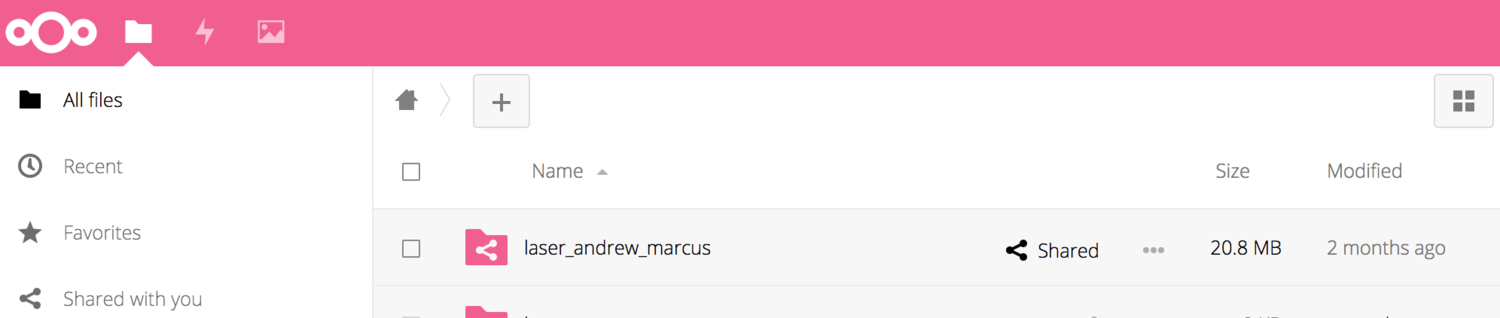
  1. Navigate to https://nextcloud.nuvustudio.com
  2. Use your login info for nuvustudio.com (your email and your NuVu password)
  3. Create a new folder called "laser_your name" under "Nextcloud"
  4.  Click on the share iconfor the folder, choose "share with Nextcloud" and share it with the user name provided by your Coach.
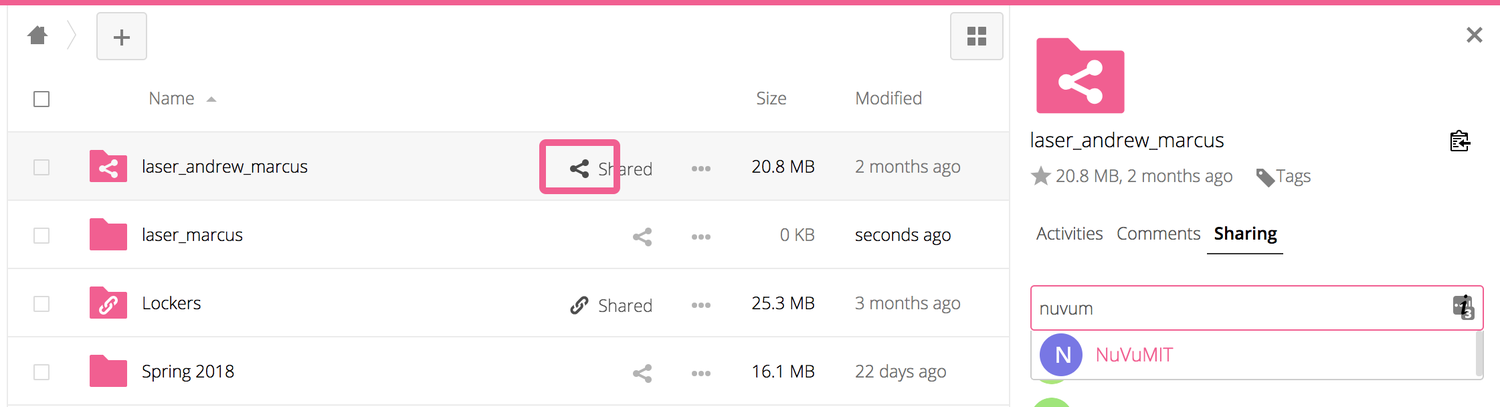
    • If you are at NuVu Cambridge, share with "lasercutter". 
  5. That will create a copy of your laser cutter folder in the laser cutter computer.